- You can edit a clean, watchable video within your first week if you follow a structured path.
- Learn one tool deeply rather than sampling five — the core skills transfer everywhere.
- Finishing small projects beats endlessly watching tutorials without editing anything.
- Re-editing the same footage each week shows you exactly how each new skill improves a video.
Most beginners stall not because editing is hard, but because they have no plan. They bounce between unrelated tutorials, never finish a video, and conclude they are not "technical enough" — when the real problem is simply a missing roadmap. This is a structured 30-day plan built from how junior editors are actually onboarded: weekly goals, each ending in a small finished project, so progress is visible and momentum builds. It assumes the vocabulary covered in our editing basics foundation, so skim that first if terms like "timeline", "J-cut", or "render" are new to you.
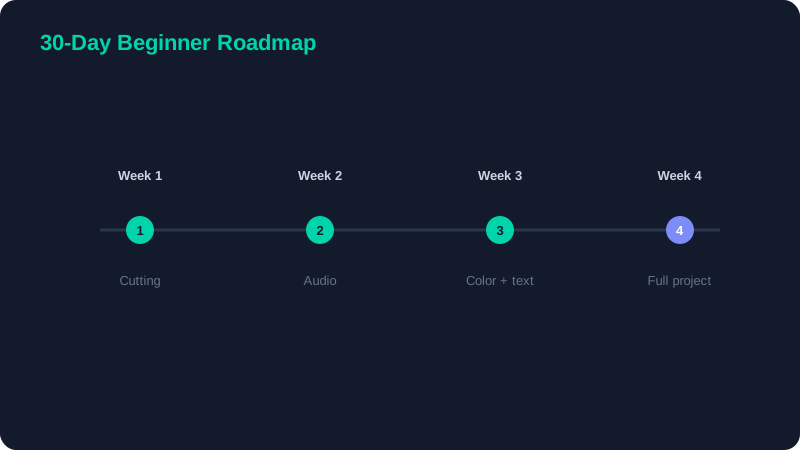
Week 1: The Interface and the Cut
Pick one free editor — DaVinci Resolve for a path toward professional skills, or CapCut for fast social content — and commit to it. Do not switch tools mid-learning; the interface differences will only confuse you while the underlying concepts are identical everywhere.
Your goal this week is pure comfort with the timeline. Import footage, learn to trim the start and end of clips, and assemble a 60-second sequence using only hard cuts. Learn the playhead, the in and out points, and how to drag clips into order. Do not touch effects, color, or transitions yet. By the end of the week you should be able to lay down a basic cut without thinking about which button does what.
Week 2: Audio and Pacing
Audio is where beginner videos most often fall apart, so it comes early. Add a music bed beneath your Week 1 clip and balance it so the music sits well under any dialogue or narration. Practise trimming dead air and long pauses so the video moves with intent. Then learn the J-cut and the L-cut — letting audio lead or trail the picture — which instantly make scene changes feel smoother.
Re-edit, don't restart
At the end of the week, re-edit your Week 1 sequence with clean, balanced audio and tighter pacing. Using the same footage is the point: you will hear and see exactly how much these skills improve a video, which no amount of watching tutorials can teach. This re-editing discipline is the engine of the whole roadmap.
Week 3: Color and Text
Color correction before grading
Learn the difference between correction and grading. Correction comes first: fix exposure, white balance, and contrast so every shot looks neutral and the clips match each other. Only once shots are corrected should you apply any creative "look". Skipping correction is the most common beginner color mistake and it makes footage look cheap.
One title, one lower-third
Add a single clean title card and one lower-third to introduce yourself or label a section. Keep the type consistent — one font, one accent color — exactly as described in our multimedia editing tutorial. Resist the urge to use five fonts and a rainbow of colors; restraint is what reads as professional.
Week 4: A Full Project
Now you put it all together. Edit a complete 2–3 minute video end to end — a vlog, a how-to, a product overview, or a short story. Apply everything: motivated cuts, balanced audio with music, basic color correction, and one clean title. Export it at the correct settings, watch it start to finish, and write down three specific things you would improve next time. Those three notes become your focus for your next video.
| Week | Focus | Finished project |
|---|---|---|
| 1 | Interface & cutting | 60-second hard-cut clip |
| 2 | Audio & pacing | Re-edit with clean sound |
| 3 | Color & text | Corrected clip with a title |
| 4 | Full workflow | Complete 2–3 minute video |
Finish ugly projects. A completed, imperfect video teaches you ten times more than a beautiful timeline you never export. Shipping — actually exporting and watching the whole thing — is itself the skill most beginners are missing, and it is the one that compounds fastest.
Habits That Accelerate Everything
Three habits will speed up your progress more than any tutorial. First, learn keyboard shortcuts from day one, even just the handful for cutting and playback; reaching for the mouse constantly is the slowest way to edit. Second, watch videos you admire with an editor's eye, pausing to ask why a particular cut was made. Third, keep every project file rather than deleting it, so you can look back in three months and see concrete proof of how far you have come.
After 30 days of this, you will be able to edit a full video comfortably and with intent. From there, clean up the habits that quietly hold new editors back with our common beginner mistakes guide, then start studying the advanced techniques that separate good edits from great ones. The path from here is no longer mysterious — it is just consistent practice on real projects.